
For matching results, words which match the search criteria will be highlighted. On the results page, these words appear bold:
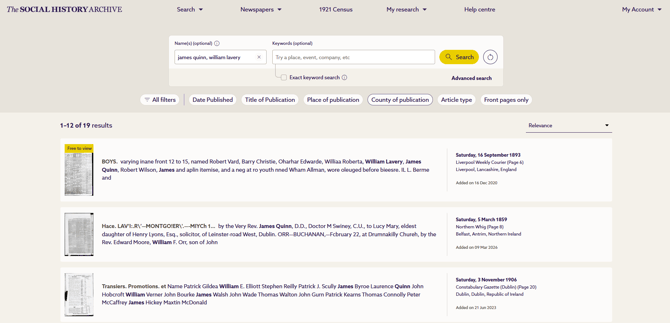
When a result is opened (in the newspaper image viewer), search words are outlined
with a blue box:
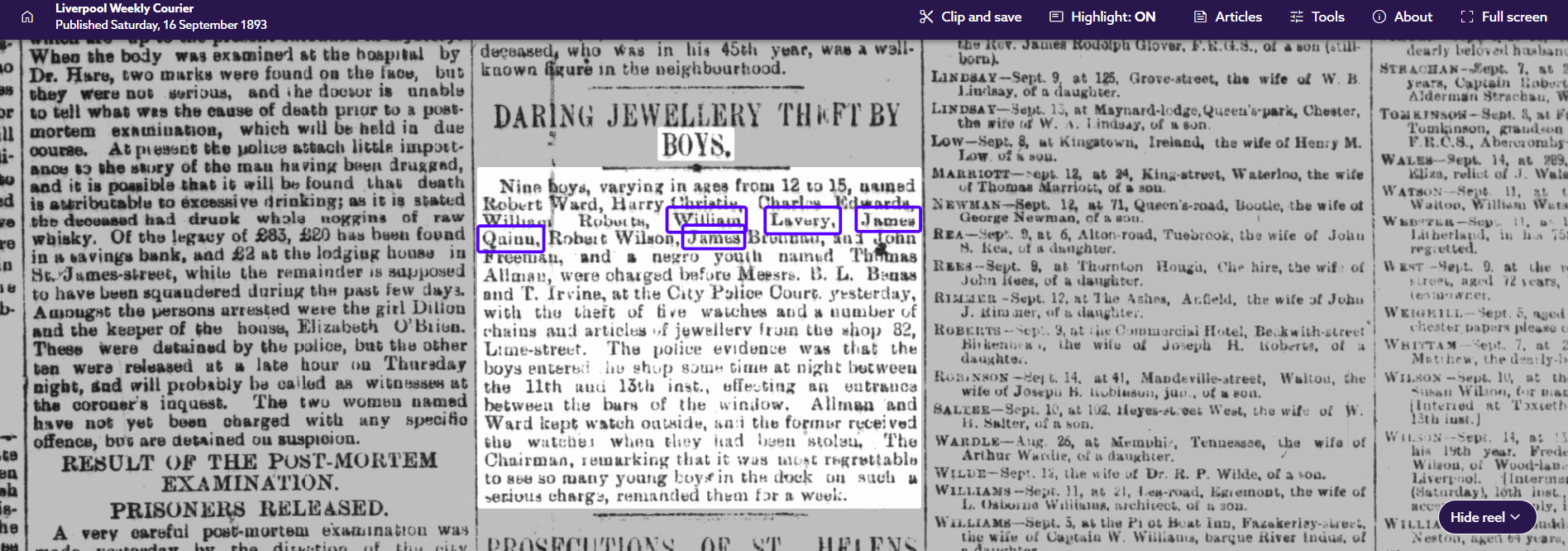
There are some important things to note about the way words are highlighted, and how this highlighting behaves:
-
The highlighting of words is not the same as the way the text in the article is searched.
-
The highlighting will simply highlight any word in the article which matches any word in the search – whether as a single word or a word in a phrase.
-
Highlighting will not be shown for any words containing wildcard symbols (*, ?) in the image viewer, but it may appear in the text snippet highlighting on the results page.
-
Clicking on the ‘highlights’ box will remove the blue boxes in the image viewer

-
Highlights are only available if you stay on the page you first land on. If you move to another page of the issue, and then return, the highlighting will no longer be available.
-
Although individual words from phrases are highlighted, that does not mean that the search was not properly executing on the phrase – it’s because the mechanisms for handling the search algorithm and the term highlighting are separate.