
Browsing records in The Social History Archive is designed to mirror the experience of working in a physical archive: requesting a volume in a search room and examining it page by page, rather than retrieving individual entries via keyword search. This approach is particularly valuable when researchers want to understand records in their original context, assess coverage, or explore material that is sparsely indexed.
Finding record sets with browse options
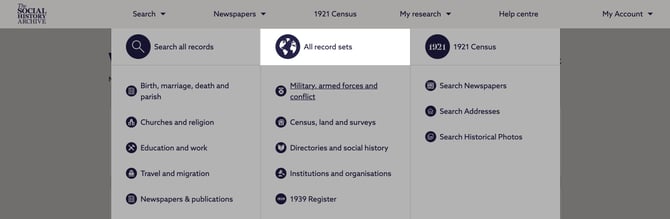
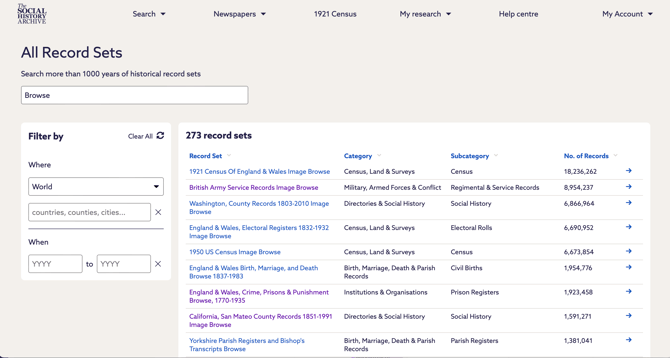
Not all record sets support browsing. To discover which collections are available to browse, select All Record Sets from the main navigation menu and search for the term browse. This will return a list of record sets that can be explored page by page.
From this list, you can review all browse‑enabled record sets and identify the ones most relevant to your research.
Browsing within a record set
Once you have selected a record set that supports browsing, choose the Browse option associated with that collection.
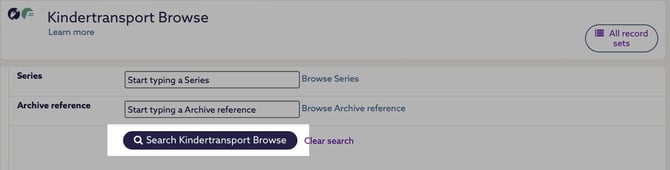
This opens a full list of items contained within the record set, reflecting how the material has been organised in line with the original source.
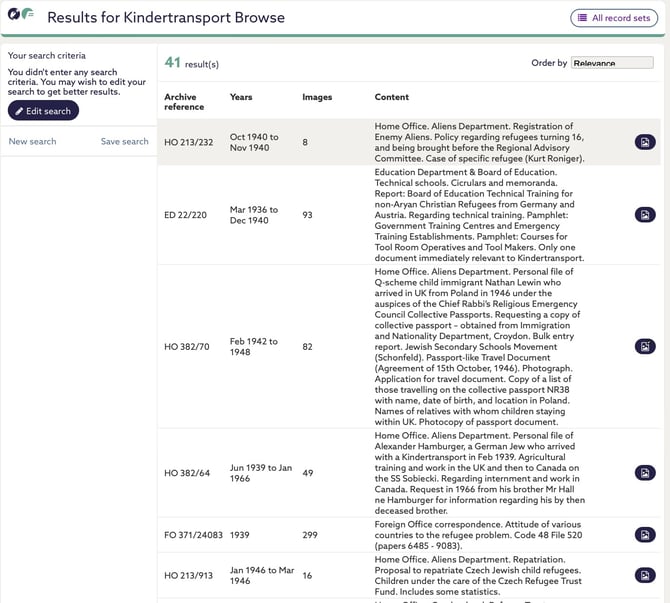
Selecting an item allows you to open it and move through the record sequentially, using the previous and next controls to page through the material from start to finish. This enables close inspection of the record in its entirety, including pages that may not surface through indexed search alone.